
Description
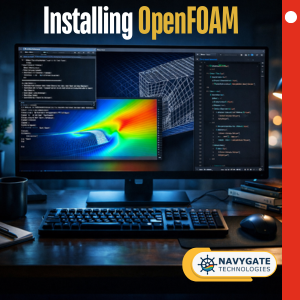
Getting started with OpenFOAM can be challenging, especially when multiple installation methods, operating systems, and system configurations are involved. Many learners struggle not with CFD itself, but with setting up a stable and consistent working environment. This free course is designed to remove that barrier by guiding you through the complete setup of a reliable OpenFOAM v2412 environment, aligned with the workflow used throughout our CFD courses.
In this course, you will learn how to install OpenFOAM v2412 using multiple approaches, allowing you to choose the method that best suits your system and learning needs. We cover package-based installation on Ubuntu, Docker-based workflows for portable and reproducible setups, and compiling OpenFOAM from source for users who require full control and customization. Each method is explained with practical context so you understand when and why to use it.
In addition to OpenFOAM itself, the course covers essential supporting tools required for an effective CFD workflow. This includes setting up Windows Subsystem for Linux (WSL) for Windows users, installing and using ParaView for post-processing and visualization, and configuring Visual Studio Code for editing OpenFOAM dictionaries and case files in a structured and efficient way.
Beyond installation, the course demonstrates how to run OpenFOAM v2412 tutorial cases, verify that your setup is working correctly, and visualize simulation results in ParaView. You will also learn how to explore and read OpenFOAM source code directly from the terminal, helping you connect the theory explained in the lectures with the actual implementation. A strong emphasis is placed on showing how to follow CFD lectures effectively by editing and running case files step by step alongside the videos, rather than simply executing pre-prepared simulations.
The primary goal of this course is to eliminate setup-related frustration so that you can focus entirely on learning CFD concepts, numerical methods, and simulation workflows using OpenFOAM v2412. This course is provided free of cost and is intended as a prerequisite or companion course for our advanced OpenFOAM and CFD training programs.
What you’ll learn
- Different ways to install OpenFOAM (APT, Docker, source compilation)
- Setting up WSL on Windows for Linux-based CFD workflows
- Running OpenFOAM tutorial cases and solvers
- Visualizing results using ParaView
- Editing OpenFOAM dictionaries using VS Code
- Navigating and reading OpenFOAM source code
- How to follow CFD lectures efficiently with provided case files
Who this course is for
- Beginners starting with OpenFOAM
- Students enrolled in CFD or OpenFOAM courses
- Engineers who want a reliable OpenFOAM setup
- Learners who struggle with environment setup and tooling

Reviews
There are no reviews yet.